Your TV is the box now.

Plasma is an IPTV player for Android TV and Google TV that also becomes the TV’s home screen. Live channels and the guide, catch-up and recordings, movies and series, and your apps, without a set-top box.

Free and open source. No ads, no analytics, no account.

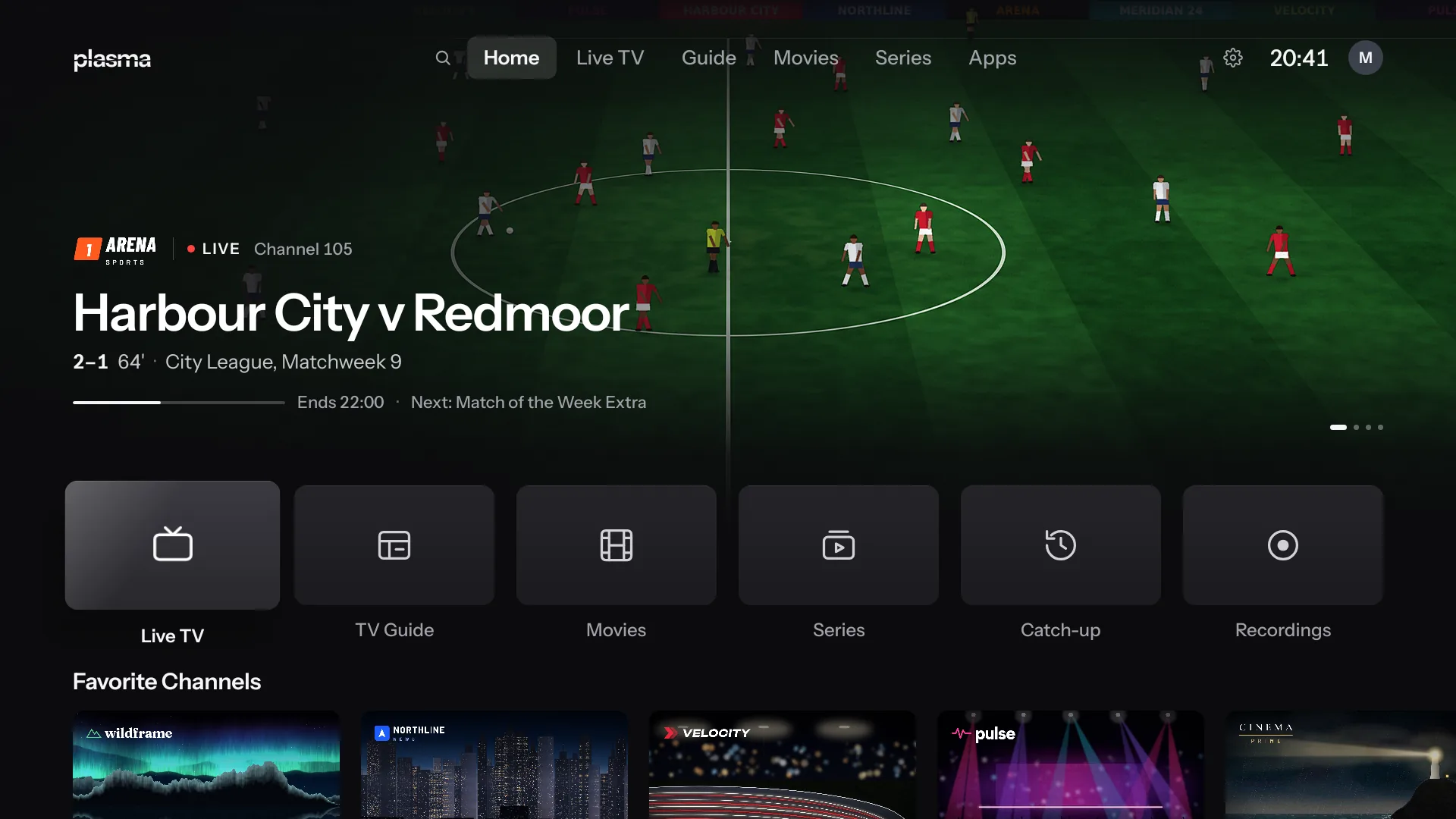
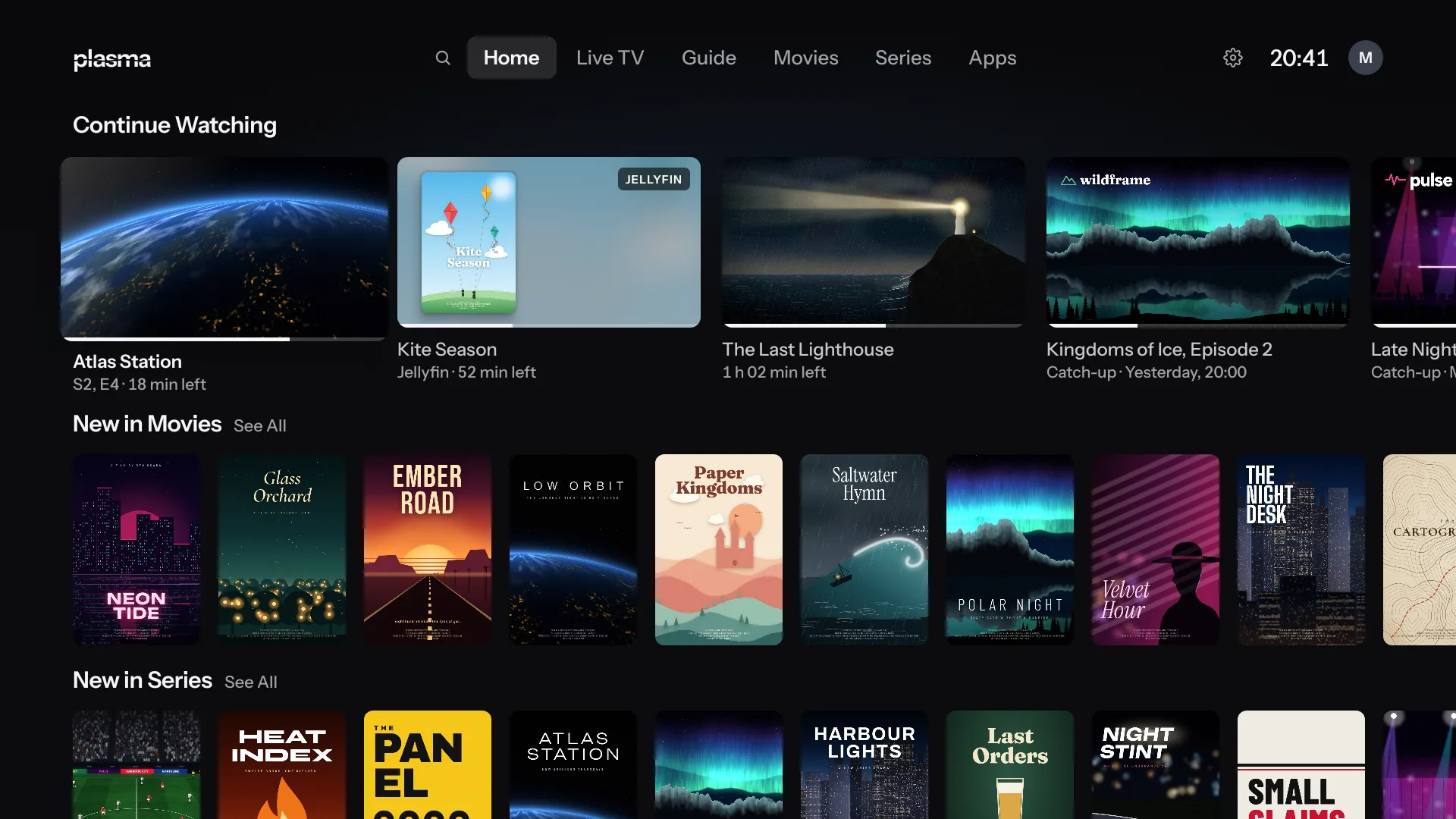
Plasma’s Home screen: a live match playing at the top, with Live TV, TV Guide, Movies, Series, Catch-up and Recordings under it, then Favorite Channels
Home, with the channel you were watching still playing above your favorite channels.

Bring your own service.

Plasma comes with no channels, playlists or subscriptions. Add the service you already have, or several: Plasma merges them into one list, and a channel that two of them carry switches to the other if one drops.

Xtream Codes
Your server, username and password. Live TV, the guide, movies and series come in together.
Stalker portal
Signs in with a MAC address, as a MAG box does. Plasma makes one for the TV, or uses the one your provider registered.
M3U playlist
A playlist link or file, with its XMLTV guide.

Zapping that never waits.

Press CH+ or type a number, and the zap banner is on screen at once while the next channel loads. In the channel list, wherever you stop plays as a preview, with what’s on next beside it.

  • Channel numbers from your playlists, with clashes fixed and listed for you to check
  • Favorites in your own order, and Recently Watched
  • CH up and down, the number keys and the color keys, as on a MAG box
  • Reminders that can switch the channel for you
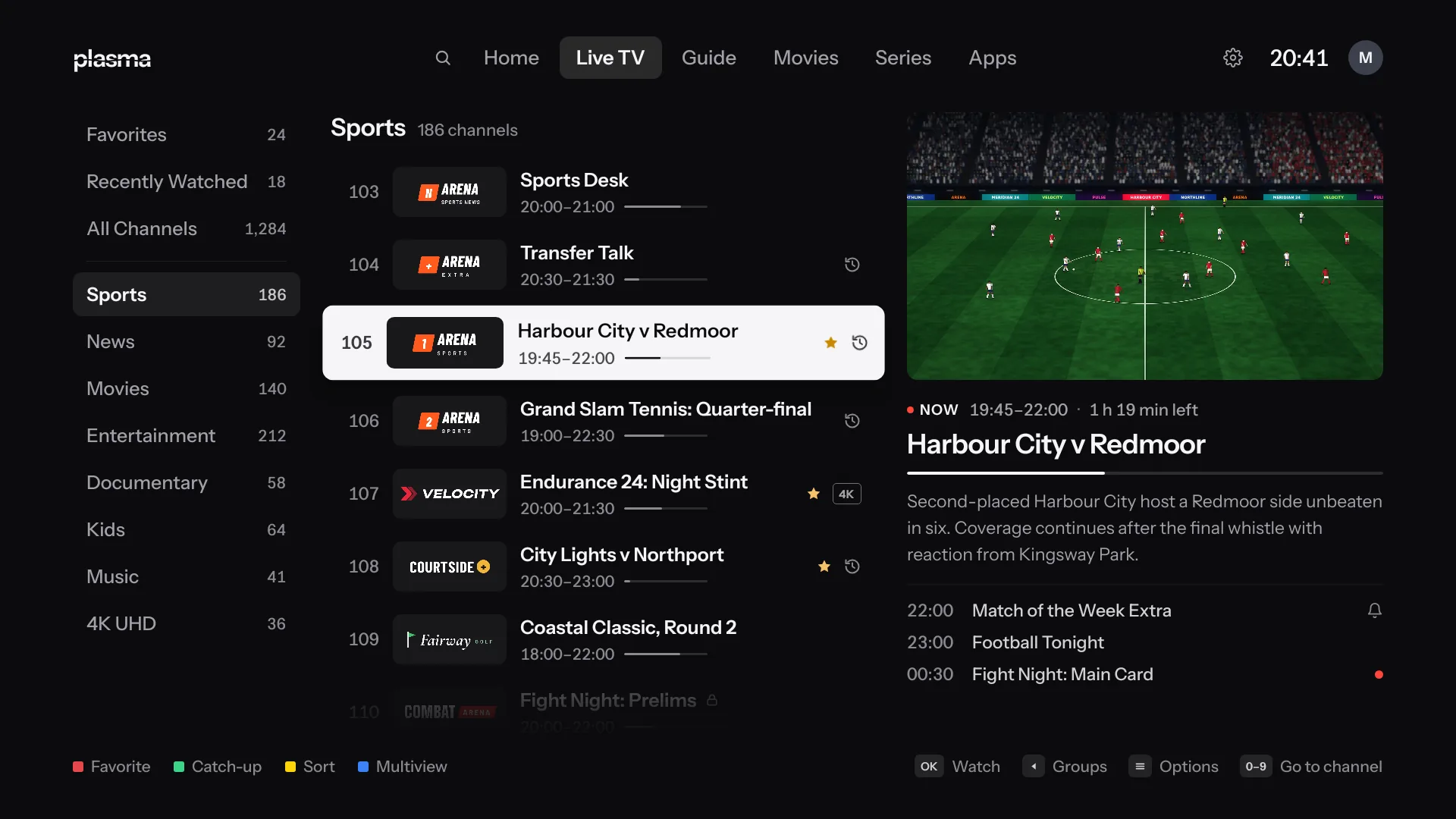
Live TV: groups on the left, the Sports channels with what’s on, and a live preview of a match with what follows it
Live TV: your groups, each channel with what’s on, and a preview of the one you’re on.
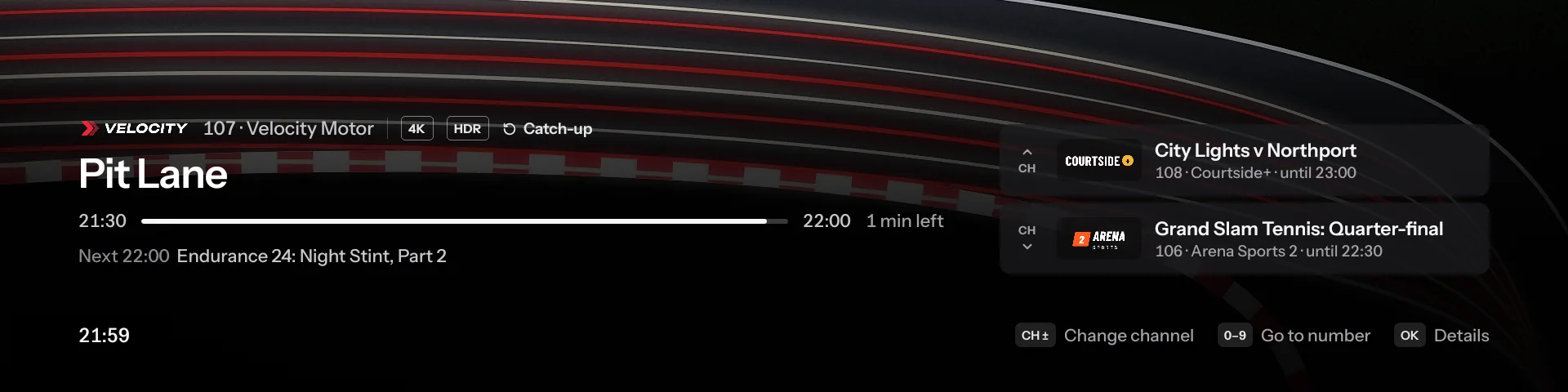
The zap banner on channel 107: the program, its time left and what’s next, with the channels above and below it on the right
The zap banner, with what’s on next and the channels either side.

Days ahead, and days gone.

Move through the guide a day at a time while the channel keeps playing in the corner. Set a reminder or record a program, or a whole series, from the grid, and go back to anything your provider keeps in its archive.

  • Search across the guide, movies and series, by voice too
  • Reminders that show over other apps
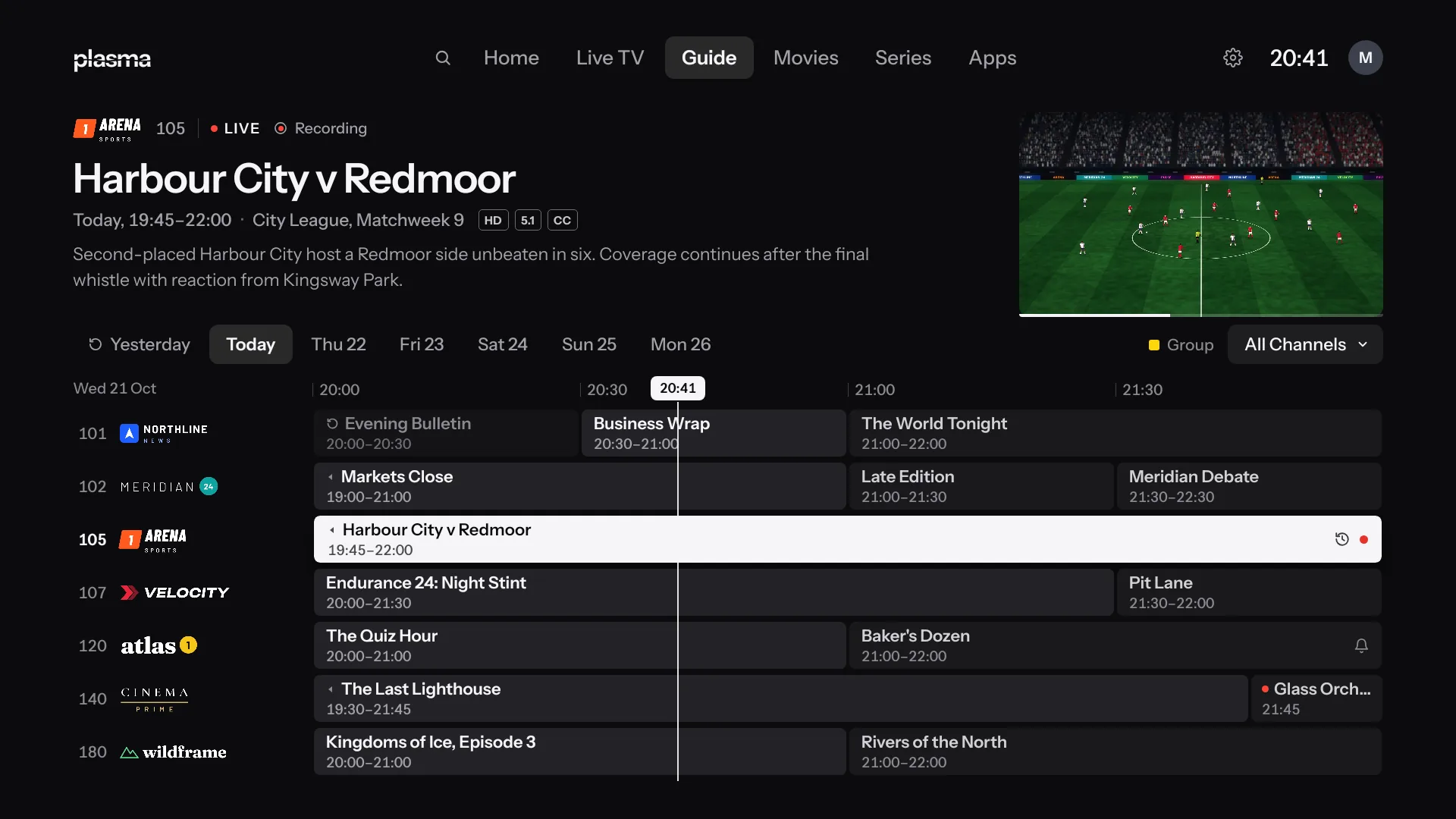
The TV Guide: channels and programs in a grid for today, with the program in focus described above and its live picture at the top right
The TV Guide, with the program in focus described above the grid.

Pause it. Rewind it. Start it over.

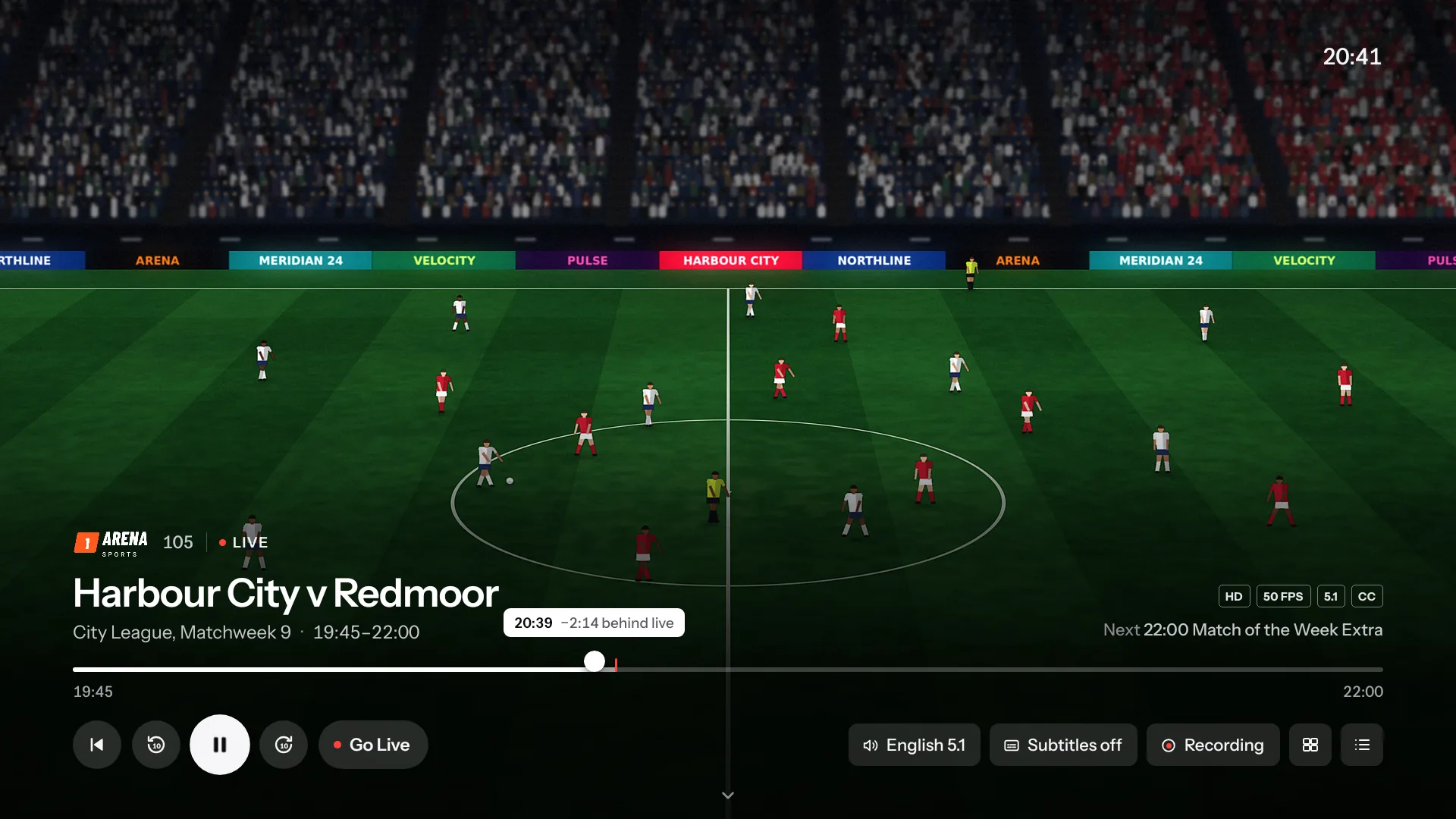
The player over a match, two minutes and fourteen seconds behind live, with Go Live, the timeline and the sound, subtitle and recording controls
Two minutes behind live, with Go Live one press away.

Rewind any channel

Plasma keeps a buffer of the channel you’re watching, so you can pause, go back, and catch up to live.

Catch-up and Start Over

On channels your provider archives, start a program from its beginning, or pick last night’s from the guide.

Local catch-up

No archive? Choose the channels you care about, and Plasma records them into a rolling window that plays back like catch-up.

Four channels at once.

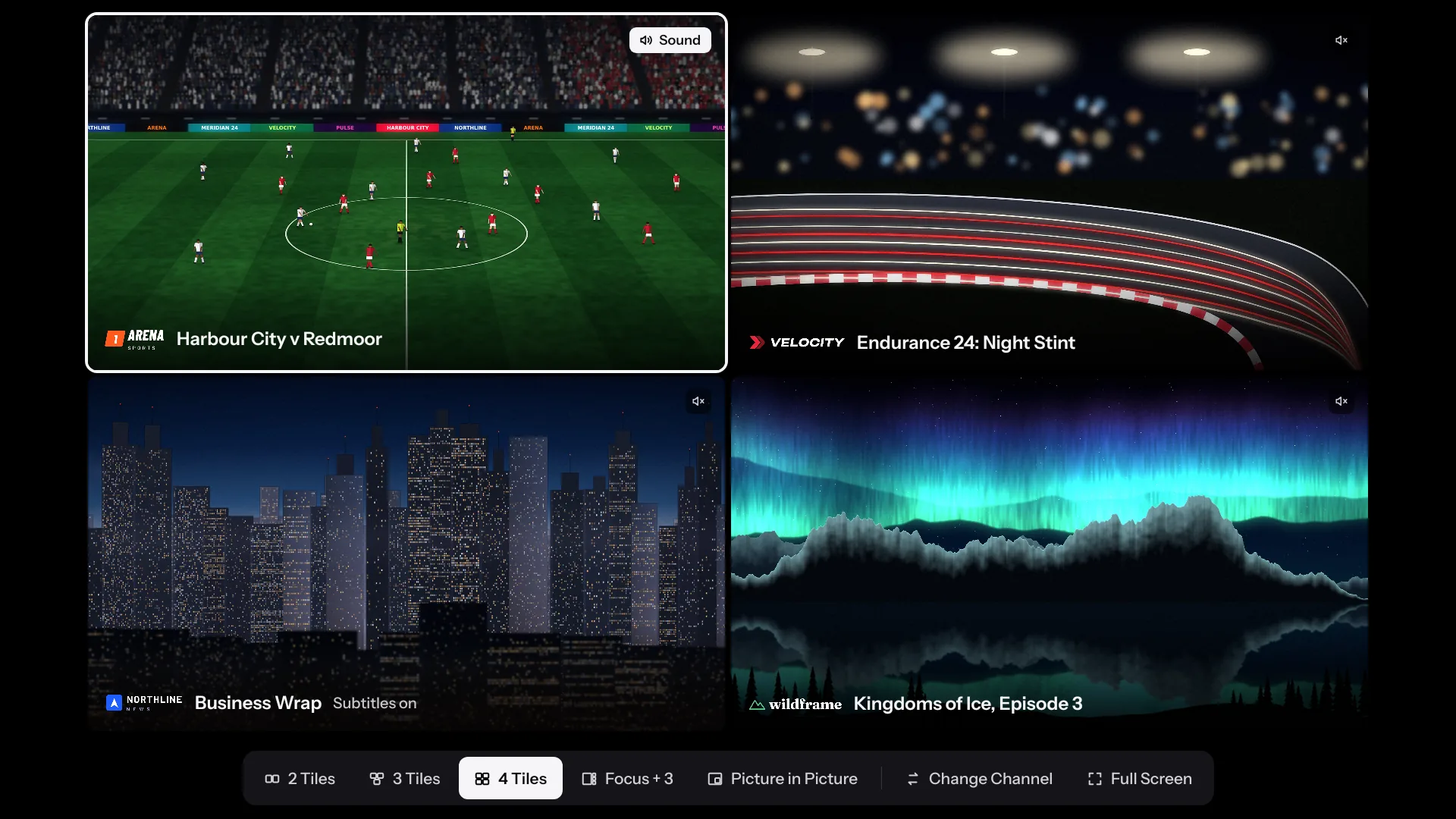
As many as your TV can decode, up to four. Choose two, three or four tiles, Focus + 3, or picture in picture, and hear whichever tile you pick.

Multiview: four channels playing at once, the match with sound in the top left, and the layout choices along the bottom
Multiview, with the sound from the match in the top left.

A proper page for every title.

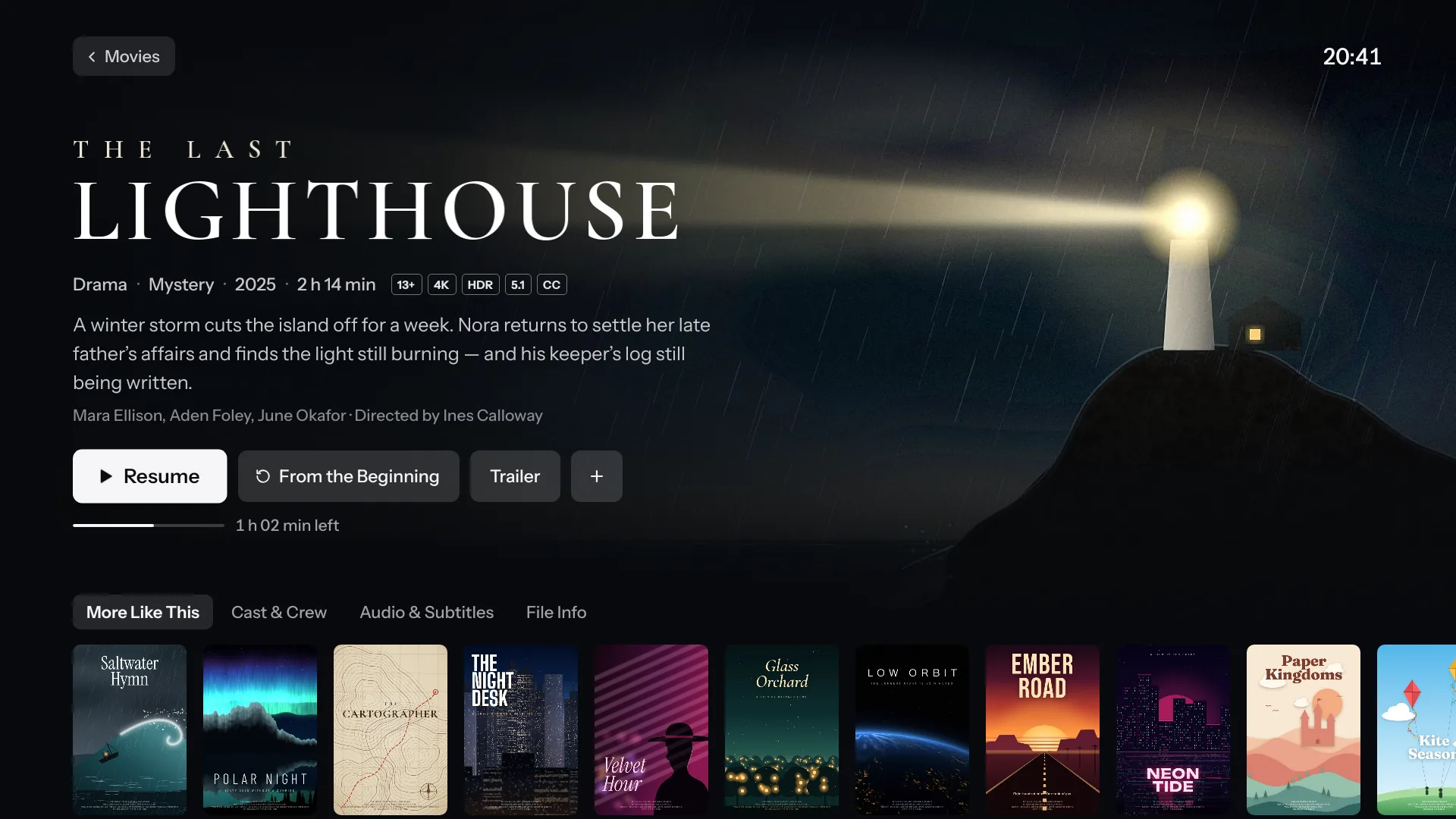
Your provider’s movies and series by category, each with its art, plot, cast and badges. Plasma remembers where you stopped, lines up the next episode, and keeps Continue Watching on Home.

  • My List and Mark as Watched
  • Continue Watching from other apps and your Jellyfin server
  • Dolby Vision and HDR10+ movies through Android’s own player
A movie’s page: the title art for The Last Lighthouse over a lighthouse in a storm, with its plot, badges, Resume and More Like This
A movie’s page, ready to resume.
Home’s rows: Continue Watching, with an item from Jellyfin, then New in Movies and New in Series
Continue Watching on Home, with an episode from Jellyfin.

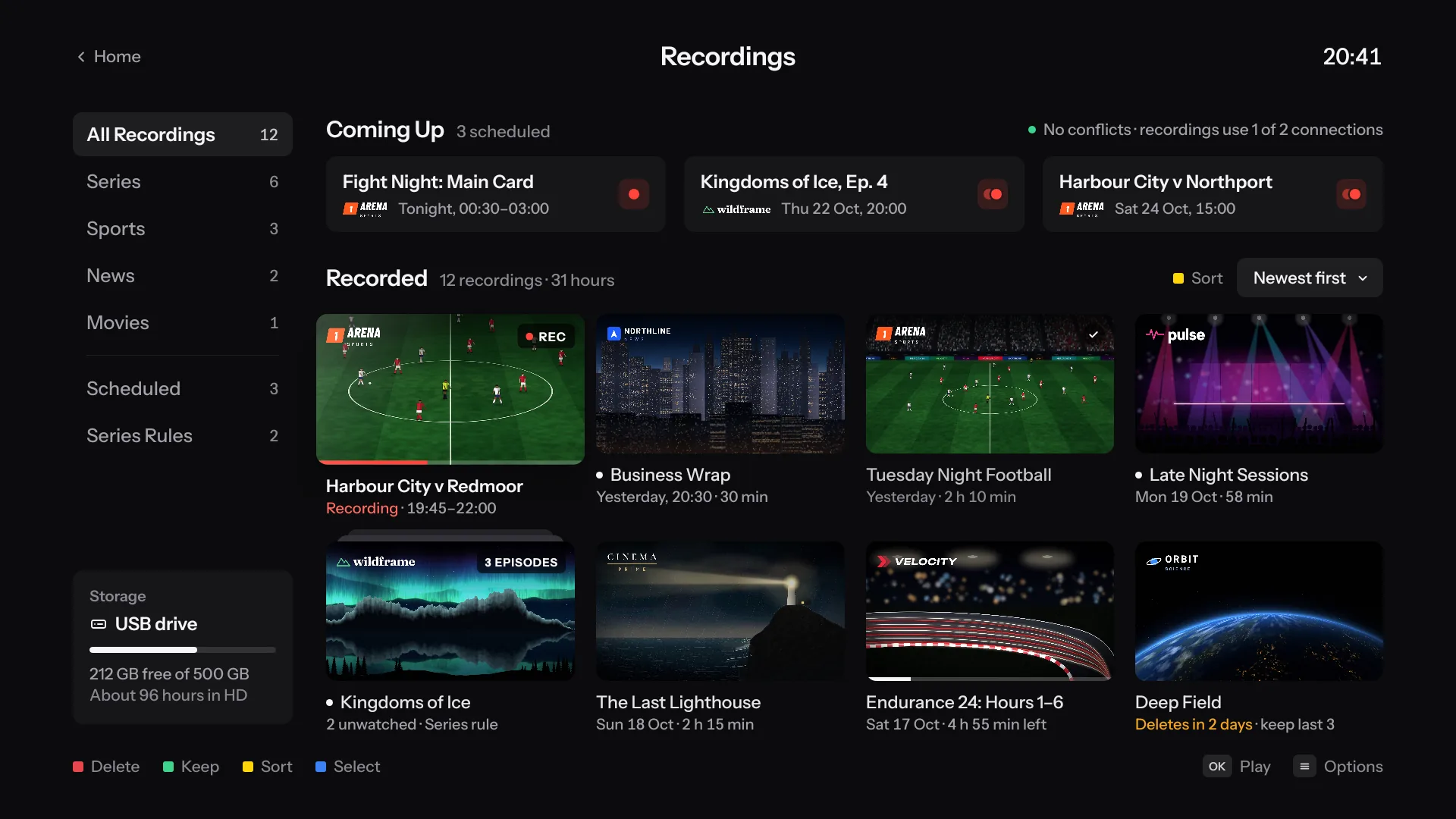
Recorded on time, even with the TV off.

Record a program or a whole series. Keep recordings on the TV, a USB drive or a network folder, named so Jellyfin finds them with their details and artwork.

Series
Every new episode, keeping the last 3, 5 or 10 if you like
Clashes
Shown ahead of time, against your provider’s connection limit
While it records
Watch from the start while the rest is still being written
Recordings: what’s coming up, recorded programs and series folders, and the USB drive’s free space
Recordings: what’s coming up, what’s recorded, and the room left on the drive.

The Home button opens Plasma.

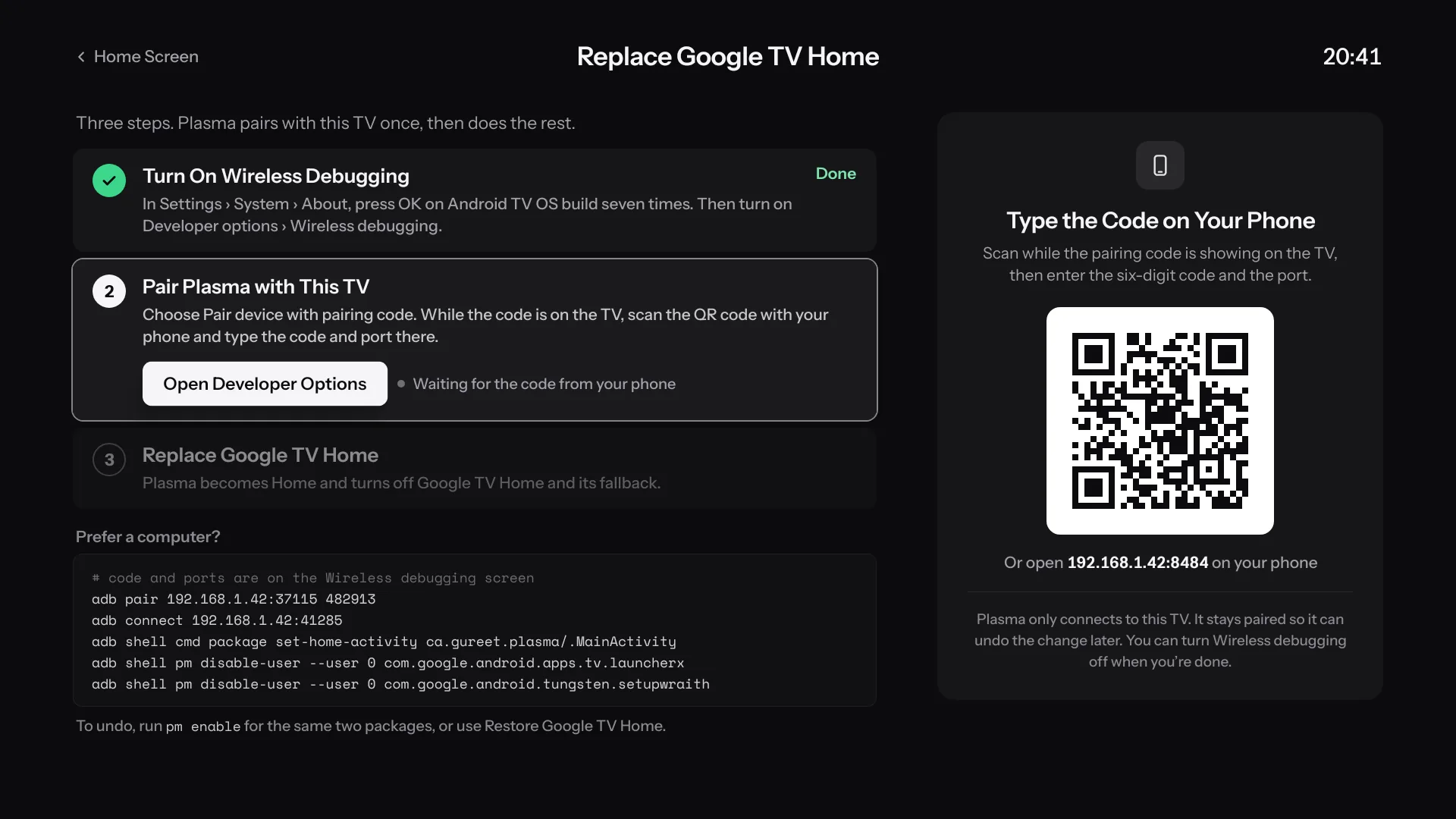
Plasma takes over the Home button with an Accessibility override, or replaces Google TV Home outright. It does that from the TV itself, and it can undo it.

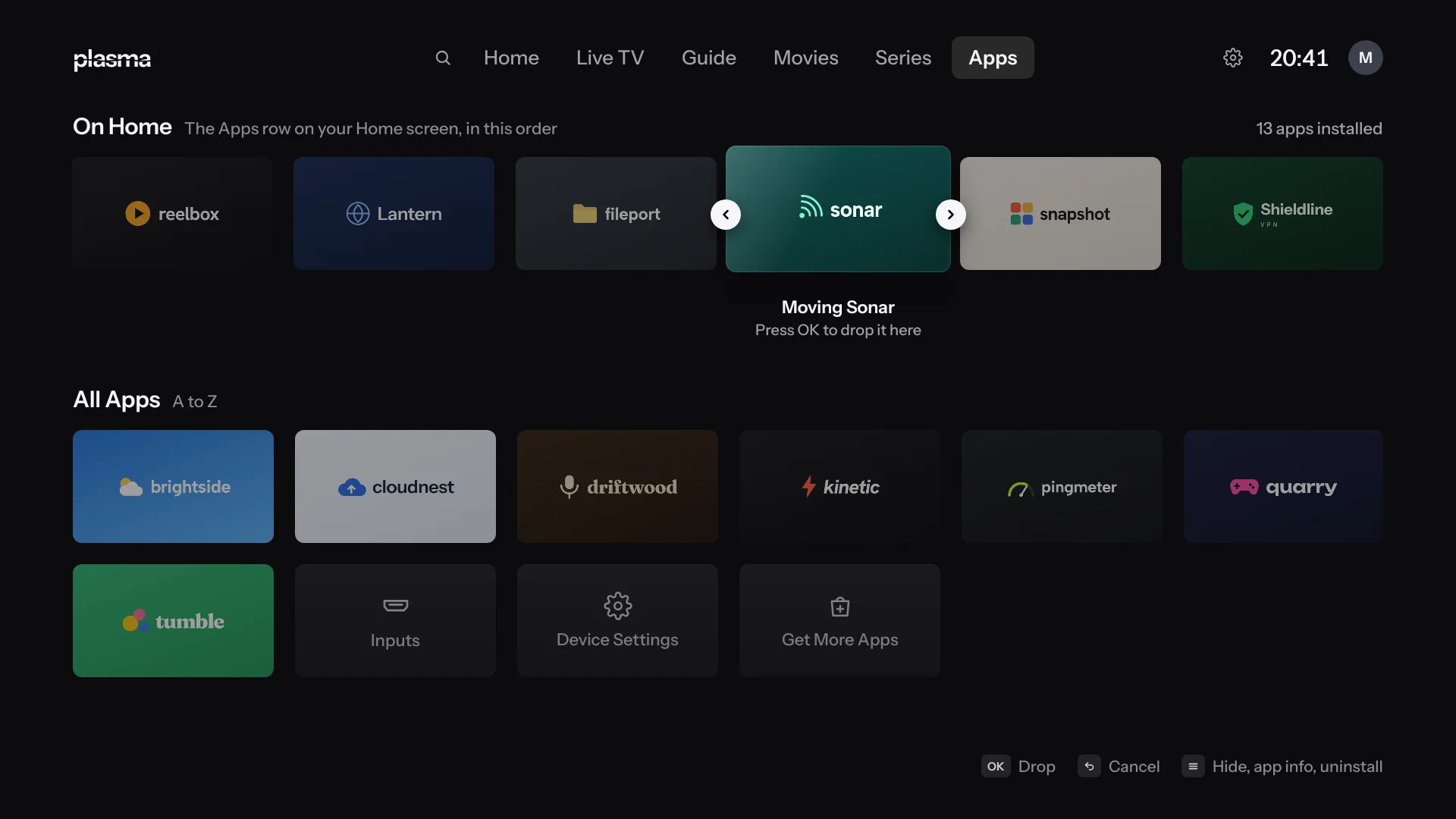
  • Your apps and inputs, in the order you choose
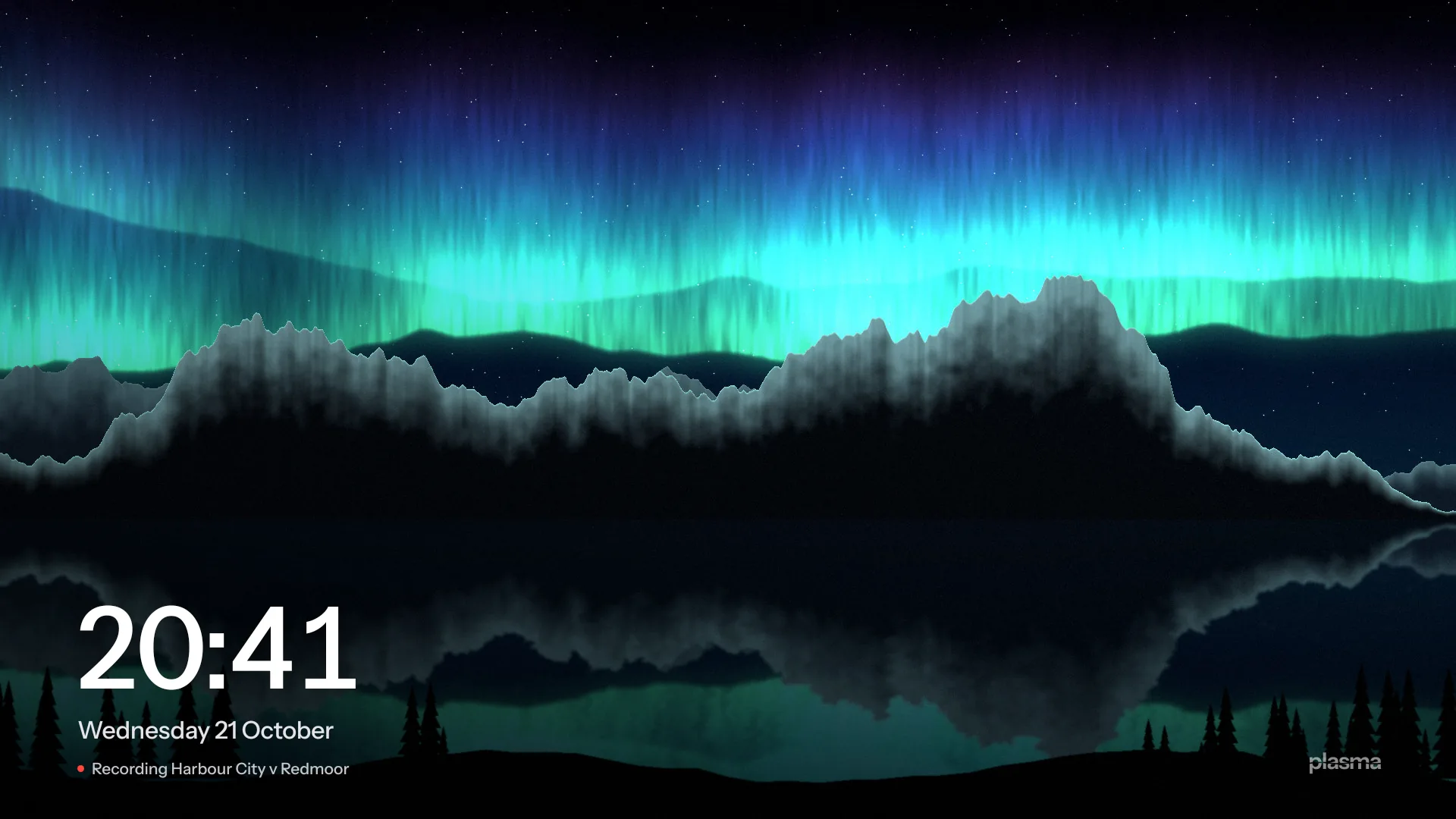
  • A screensaver with the time and what’s recording
  • Picture in picture when you open another app, on TVs that have it
  • Live TV stops when the TV sleeps, and lets your connection go
Apps: the apps row on Home in your order, with one app being moved, and all apps from A to Z with Inputs and Device Settings
Apps and inputs, in your order.
Replace Google TV Home: three steps, with Plasma pairing with the TV once and doing the rest
Replace Google TV Home, from the TV.
The screensaver: northern lights over mountains, with the time, the date and a recording in progress
The screensaver, with what’s recording.

Profiles, a PIN, and your phone as a remote.

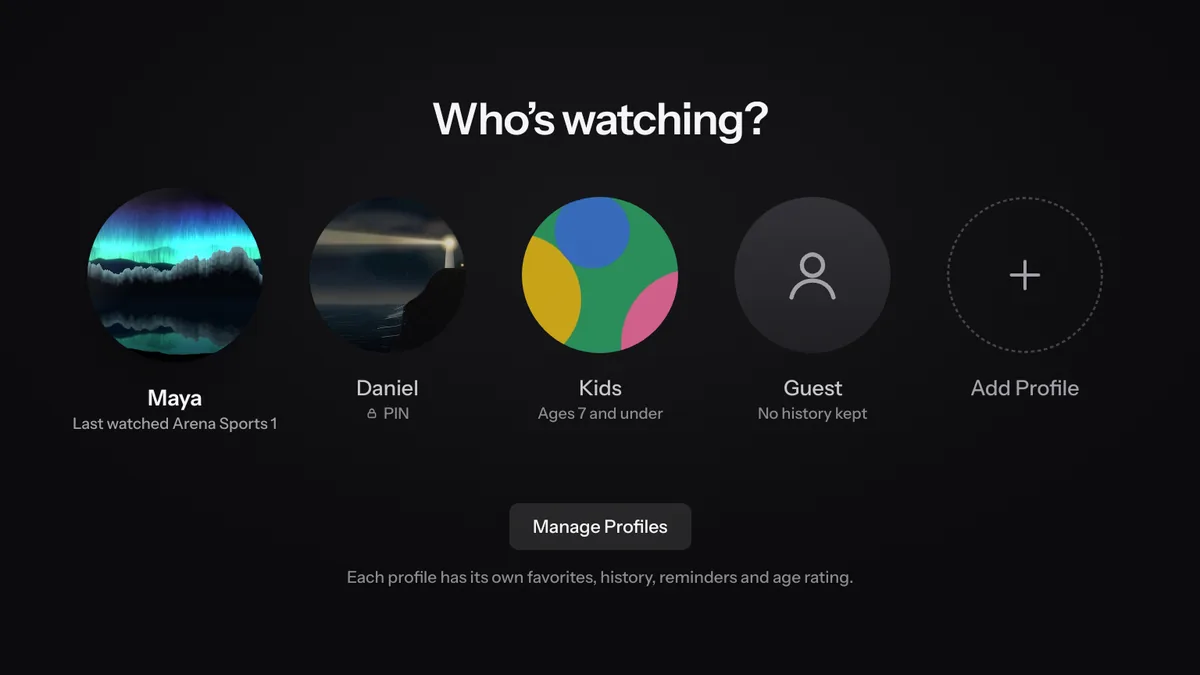
Who’s watching? Maya, Daniel, Kids and Guest, with Add Profile

Profiles

Up to six, each with its own favorites, history and resume points. Kids and guest profiles too.

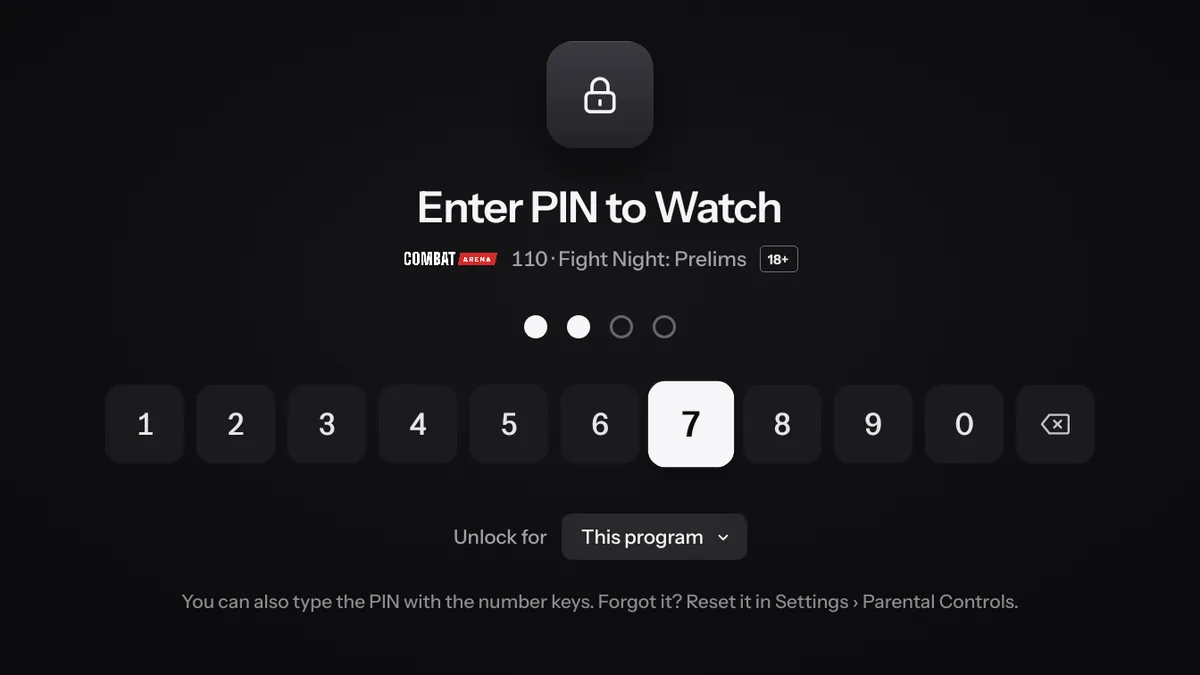
Enter PIN to Watch, for a program locked by its age rating, with the number keys

Parental controls

A PIN for locked channels and groups, adult groups, and an age limit from your guide’s ratings.

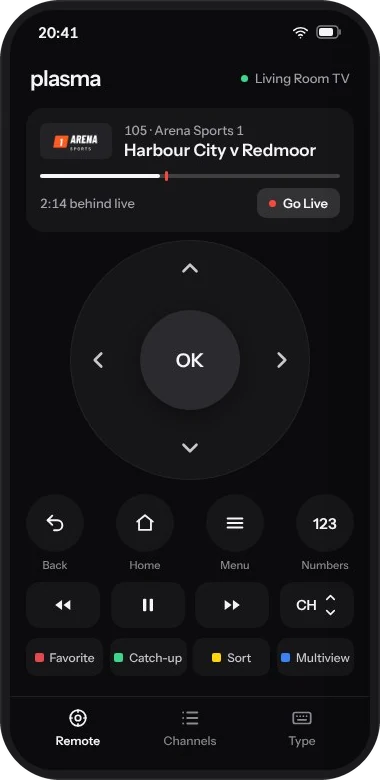
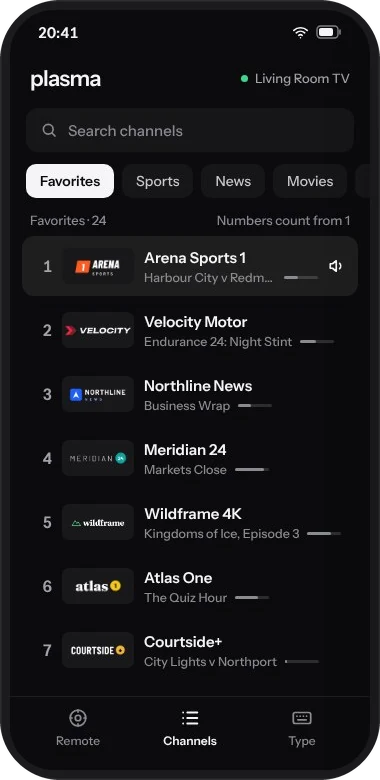
The phone remote: the channel playing, a direction pad, and Back, Home, Menu and the color keys The phone remote’s channel list, with Favorites numbered from 1

Phone remote

Your phone as a remote and keyboard. The TV serves the page, so there’s nothing to install, on iPhone or Android.

The details.

Everything Plasma does, in one list.

Runs on
Android TV and Google TV 8.0 and later. Fire TV with Fire OS 7 or later, as an app.
Sources
Xtream Codes, Stalker portals, and M3U playlists with an XMLTV guide. Several at once, merged, with failover between them.
Players
mpv for live TV, then VLC or Android’s own player. A stream one can’t play moves to the next, on the same connection.
Picture
Dolby Vision and HDR10+ movies through Android’s player, Match Frame Rate, and a picture size for each channel.
Sound
Dolby and DTS passed through to your receiver, or decoded. Encode Surround to Dolby Digital, Night Mode, Audio Delay, and a volume level for each channel.
Guide
XMLTV, or your provider’s own. Days ahead and days gone, reminders, and search.
Watching later
A rewind buffer, catch-up and Start Over from your provider’s archive, local catch-up, and recordings.
Home screen
Home Button Override, Replace Google TV Home, or the TV’s own Default Home App where it offers one.
Household
Up to six profiles, kids and guest profiles, a parental PIN and an age limit.
Phone
A remote and keyboard in the phone’s browser, and a source added from the phone.
Also
Multiview with up to four channels, picture in picture, Continue Watching from other apps and Jellyfin, backup and restore, and updates from inside Plasma.
Price and license
Free. GPL-3.0-or-later.
No ads. No analytics.
No account.

Your logins are encrypted, and they stay on the TV.

Plasma connects to your service, the servers you add, and GitHub to check for updates. Nothing else.

Diagnostics you choose to share leave out your server and your logins.

Get Plasma.

There’s no stable release yet. Test builds of Plasma Dev are on GitHub, and once one is installed, it updates itself.

  1. Install it

    Turn on Developer options and Network debugging on the TV. Then, from a computer on the same network:

    adb connect <tv-ip>:5555
    adb install -r app-armeabi-v7a-dev.apk
  2. Add your service

    Open Settings › Portals & Playlists › Add Portal or Playlist. It’s quickest from your phone: scan the code on that screen and type there.

  3. Make it your home screen

    Open Settings › Launcher & Home › Home Screen. Plasma shows what this TV allows, and walks you through it.

Runs on Android TV and Google TV 8.0 and later, and on Fire TV with Fire OS 7 or later as an app. Fire TV devices with Vega OS can’t install Android apps.

Read the install guide

Where Plasma is.

Eight of the design brief’s ten milestones are done. The first release is next, and the phone apps come after it.

  1. M0FoundationsDone.
  2. M1Live TVDone.
  3. M2The Guide and catch-upDone.
  4. M3Portals, failover and mpvDone.
  5. M4Movies and seriesDone.
  6. M5The home screenDone.
  7. M6RecordingDone.
  8. M7Profiles, Multiview, phone remoteDone.
  9. M8The first releaseIn progress
  10. M9Remote apps for Android and iPhonePlanned

Free software, built in the open.

Plasma is released under the GNU General Public License, version 3 or later. Every screen has a reference image, and a change that alters one by accident doesn’t pass its checks.

Built on mpv, libVLC, AndroidX Media3, the Jellyfin Kotlin SDK, smbj, OkHttp, Coil and ZXing.

The repository never holds playlists, portal addresses, provider names or logins, and issues or pull requests that add, ask for or link to them are closed.

Questions.

Something else? Ask on GitHub, and leave your server’s address and logins out.

Does Plasma come with channels?

No. Plasma comes with no channels, playlists or subscriptions. It plays a service you already have: an Xtream Codes login, a Stalker (MAG) portal, or an M3U playlist with an XMLTV guide.

Is it on Google Play?

No. You install Plasma once from GitHub, and after that it updates itself from Settings › About › Plasma Update, after asking.

Do I need a computer?

Only to install it the first time with ADB, or use a downloader app on the TV instead. Replacing Google TV Home doesn’t need one: Plasma does it from the TV itself, with your phone to type a code.

Can I go back to Google TV’s home screen?

Yes. Plasma turns Google TV Home off rather than deleting it, and Restore Google TV Home in Settings › Launcher & Home › Home Screen turns it back on.

Does it work on Fire TV?

As an app, on Fire TV devices with Fire OS 7 or later. Fire OS keeps Amazon’s home screen, so Plasma opens from your apps there. Fire TV devices with Vega OS can’t install Android apps. Plasma hasn’t been tested on a Fire TV yet.

What does it cost?

Nothing. Plasma is free software under the GPL, with no ads, no analytics and no account to create.